
How to Search Palm Beach County Court Records
The official search tool is eCaseView, hosted by the Clerk of the Circuit Court & Comptroller. The Clerk calls it a free online database of civil, criminal, and traffic court records in Palm Beach County. The same system also returns family, probate, guardianship, mental health, small claims, and ordinance cases. Guest users do not need an account for most searches. A registered account is free and adds search fields plus image access in some restricted case types.
Before you begin, gather the case number if you have one, or the full legal name of a party. A case number is the most precise way to search. If you only have a name, plan to add a court type or a date range, because a common last name in Palm Beach County can return a long list. Citation numbers work well for traffic tickets.
- Open eCaseView and choose "Login as Guest User."
- Open the New Search tab and type a case number, citation number, or party name.
- Select a court type to narrow the search, then a case type if you need to.
- Add an offense or file date range when a name returns too many matches.
- Open a result to read the docket, parties, charges, disposition, and document images.
- Order an electronic certified copy through eCertify when a stamped copy is required.
The Clerk's Court Records page links eCaseView, eCertify, the sealed-case notices, and the pretrial release register in one place.
Palm Beach County Court Records Search Fields
The eCaseView search screen offers one set of fields for guest users and a wider set for registered users. The table below lists the public search fields and the format rules the Clerk's portal applies to each one. Submitting a search also requires a reCAPTCHA check.
| Field Label | Type | Required | Notes / Format |
|---|---|---|---|
| Case Number | Text | No | Max 25; letters, numbers, dashes; example 2015TR900123 |
| Name Search | Dropdown | No | Exact Name Search or Starts With Name Search |
| Last Name / Company Name | Text | No | Max 50; letters, numbers, spaces, dashes, ampersands |
| First Name | Text | No | Max 50; no leading or trailing spaces |
| Court Type | Dropdown | No | ALL, Circuit Civil, County Civil, Felony, Misdemeanor, Criminal Traffic, Family, Probate, Small Claims, and more |
| Case Type | Dropdown | No | Defaults to ALL; options change based on court type |
| Citation Number | Text | No | Max 50; letters, numbers, dashes; no spaces |
| Offense / File Date Range | Date | No | Begin and end date pickers |
| One Row Per Case | Checkbox | No | Checked by default to condense results |
Types of Palm Beach County Court Records
Palm Beach County has two main public search worlds, and they are easy to mix up. Court records are the case files in eCaseView: lawsuits, prosecutions, traffic tickets, family cases, probate, guardianship, mental health, small claims, and evictions. Official Records are recorded instruments in the county recorder system: deeds, mortgages, liens, recorded marriage licenses, tax deeds, and similar documents. Both are kept by the Clerk, but they are not the same database. A person looking for a divorce starts in eCaseView. A person looking for a recorded marriage license uses Official Records.
The Circuit Court produces felony, family, probate, guardianship, mental health, and circuit civil records. The County Court produces misdemeanor, traffic, small claims, eviction, and ordinance records. The list below covers the case types most people search.
- Civil records - circuit civil over $50,000 and county civil up to $50,000, with complaints, motions, orders, and judgments.
- Criminal records - felony, misdemeanor, criminal traffic, and ordinance matters, with charges and dispositions.
- Family records - dissolution, custody, support, paternity, name change, and domestic violence injunctions.
- Probate and guardianship - estates, caveats, notices of trust, and guardian appointments.
- Traffic and infractions - moving and non-moving citations, parking, and marine cases.
Marriage licenses become public Official Records once recorded. The Clerk's marriage and domestic partnership kiosk shows the ID and acknowledgment steps that start that process.
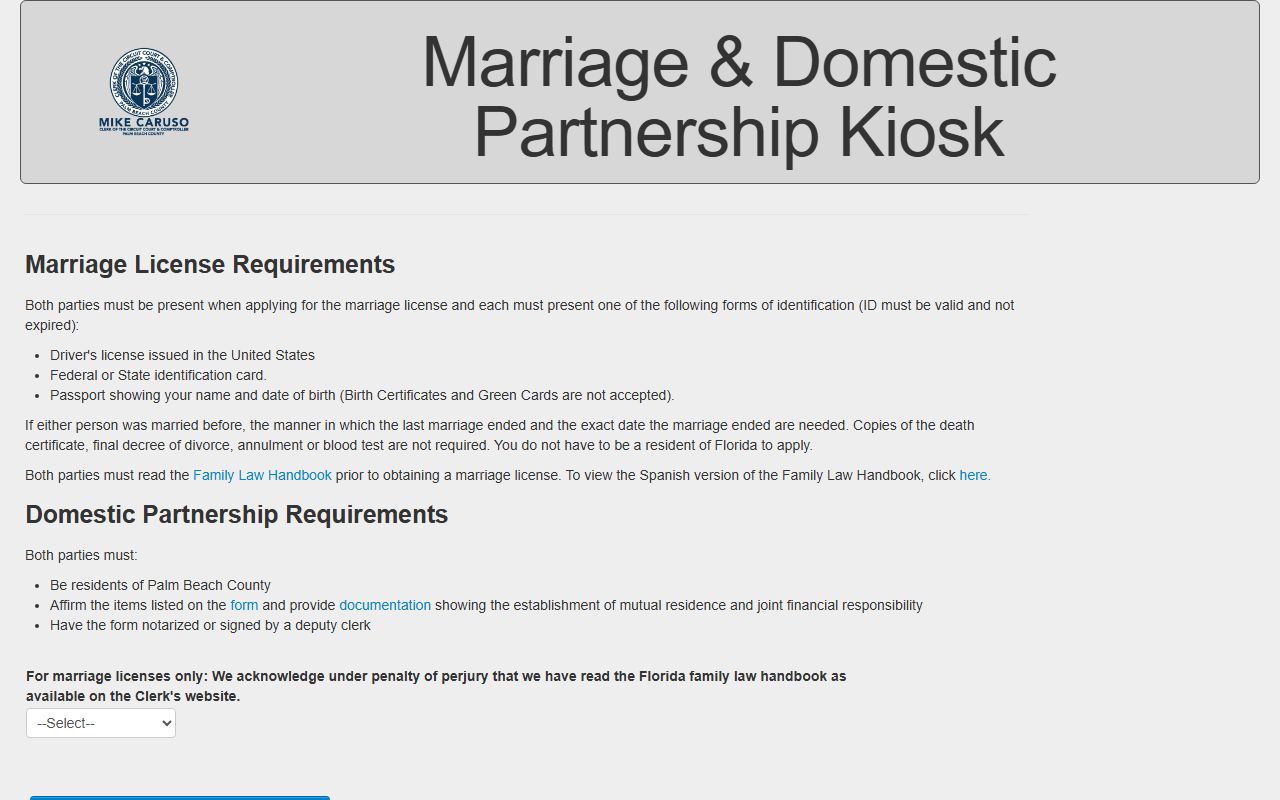
The kiosk screen, shown above from the Clerk's marriage application, is where applicants confirm the Family Law Handbook before the recorded license joins Official Records.
What Palm Beach County Court Records Show
An eCaseView case record opens with a header and then a docket. The header carries the case number, court type, case type, file date, and status. The docket lists every filing and event in date order. Where access rules allow it, a docket row links to a document image. Criminal and traffic cases add charges, pleas, and dispositions. Civil cases add the cause of action and any money judgment. Probate adds the decedent and interested parties.
| Field | What It Shows |
|---|---|
| Case Number | Year, court type code, and sequence; example 2015TR900123. |
| Filing Date | The date the Clerk opened the case. |
| Parties | Plaintiff/defendant, petitioner/respondent, state/defendant, or decedent and heirs. |
| Charges or Cause | Statute, charge or claim text, offense date, and plea where applicable. |
| Disposition | Guilty, not guilty, dismissed, withhold of adjudication, or civil judgment. |
| Docket | Every filing, motion, order, and hearing notice, with images where allowed. |
Public Access Framework for Palm Beach County Court Records
Florida has one of the broadest open-records frameworks in the country. The general public records duty sits in Florida Statutes § 119.07, which tells custodians to allow inspection and copying at reasonable times and authorizes copy fees. Court records carry an extra layer. The Florida Rule of General Practice and Judicial Administration 2.420 governs access to judicial branch records and defines a court record to include the case file, the docket, transcripts filed with the clerk, and electronic records.
A requester usually does not have to say why they want a public record. The Clerk is the custodian for court records and Official Records, while PBSO holds arrest and jail records. Copy and certification fees are set by the Legislature, and online card payments add a 3.5 percent processing charge. Florida Statutes § 119.0714 explains why some information inside a court file is redacted from public view.
Note: Uncertified court documents in eCaseView can be viewed and printed for free, but only a certified copy is accepted as proof in legal proceedings.
Records That Are Sealed or Confidential in Palm Beach County
Several case categories stay out of public view. Juvenile cases are confidential under Florida Statutes § 985.04. Adoption records are confidential under Florida Statutes § 63.162 and adoption hearings are closed. Baker Act, Marchman Act, tuberculosis, and certain mental health cases are not in eCaseView except for the attorney of record. Document images for family, probate, guardianship, and mental health cases are limited to registered users or the attorney of record. Injunction petitions are not viewable until the respondent has been served.
Sealing and expunction follow a strict path in Florida. The person must apply to the Florida Department of Law Enforcement for a Certificate of Eligibility before filing a court petition. Sealing under Florida Statutes § 943.059 shields a record from ordinary public view while letting some agencies still see it. Expunction under Florida Statutes § 943.0585 removes public access more completely. The Clerk's fee to seal or expunge any record is $42.
In-Person Court Record Requests
For records not online, certified copies, or manually stamped documents, the Records Service Center handles the request. It sits on the fourth floor of the Main Courthouse in Room 4.2500. Bring the case number or party name, the year, and payment. Do not mail cash. Checks are made payable to Clerk of the Circuit Court & Comptroller, Palm Beach County. The center can also be reached by email or phone for search and copy requests.
Records Service Center
205 North Dixie Highway, Room 4.2500
West Palm Beach, FL 33401
(561) 355-2932
Mon–Fri, 8 a.m.–4 p.m.
Note: online certified copies are emailed soon after purchase, while mailed or in-office requests take longer, so allow extra time.
Guest vs Registered Access to Palm Beach County Court Records
eCaseView has three access levels, and the level controls how much a searcher can see. A guest needs no account and can search most cases and view many documents. A free registered account adds search fields such as date of birth, booking number, arrest date, incident number, and driver's license number, plus image access for some restricted case types. An attorney of record gets the deepest access for their own cases, including juvenile and adoption images where the law permits. Registration takes three to five business days to process.
| Feature | Guest User | Registered User |
|---|---|---|
| Account needed | No | Yes, free |
| Search by name, case, citation | Yes | Yes |
| Search by DOB, booking, DL number | No | Yes |
| Images in family/probate/guardianship | No | Yes, where allowed |
| Print uncertified public documents | Yes | Yes |
Tips for a Palm Beach County Court Records Search
A few habits make the search faster. Use a case number first when you have one. If you search by name, try an exact name, then switch to "Starts With Name Search" if the spelling or a business suffix is uncertain. Pick a court type to cut false matches, such as Probate for estates or Domestic Relations/Family for divorce. Add a file date range when a common name floods the results. For traffic, the citation number beats a name.
Records do not always appear. The case may be a restricted type, the user may need registration to see images, the case may predate online image coverage, or the matter may be in federal court or another Florida county. When a court record search comes up empty, check the spelling, widen the date range, and confirm the case belongs to Palm Beach County.